

Run your restaurant. Not your paperwork.
From the first order to the final shift, Bill&Go keeps your counter, kitchen, payments, and team working together. A simple POS built for restaurants and cafés in Cambodia.
See how 
 works.
Built around the jobs that fill a service: taking the order, cooking it, getting paid, and closing up.
Ring it up in a few taps.
Tap a product and its options open with the usual choices already picked. The POS won't let an order go out missing a required choice.
- Tables, takeaway and delivery orders
- Add to an open table later without retyping
- Happy hours and deals applied for you
The right paper at the right printer.
Send an order and the kitchen ticket prints in the kitchen, the bill at the counter, and drink stickers on the label printer. Cooks can also work from a kitchen screen.
- Works when the POS is a tablet
- Tickets wait in line if a printer is off, then print
- Voids and removed dishes print too, so nothing is cooked by mistake
Two moneys, one payment.
Customers hand over dollars, riel, or both. Bill&Go shows the change at your shop's rate, the same figure it records for the shift.
- Change in whole dollars, the rest in riel
- Riel rounded to 100, in the customer's favor
- Cash, card or QR Code, with refunds kept to managers
A drawer you can trust at closing.
Open the shift with the cash you start with. At close, count each money and the slip shows what should be there, what is, and the difference.
- Each cashier works their own shift
- Cash in and cash out written down with a reason
- The end-of-shift slip prints on your receipt printer
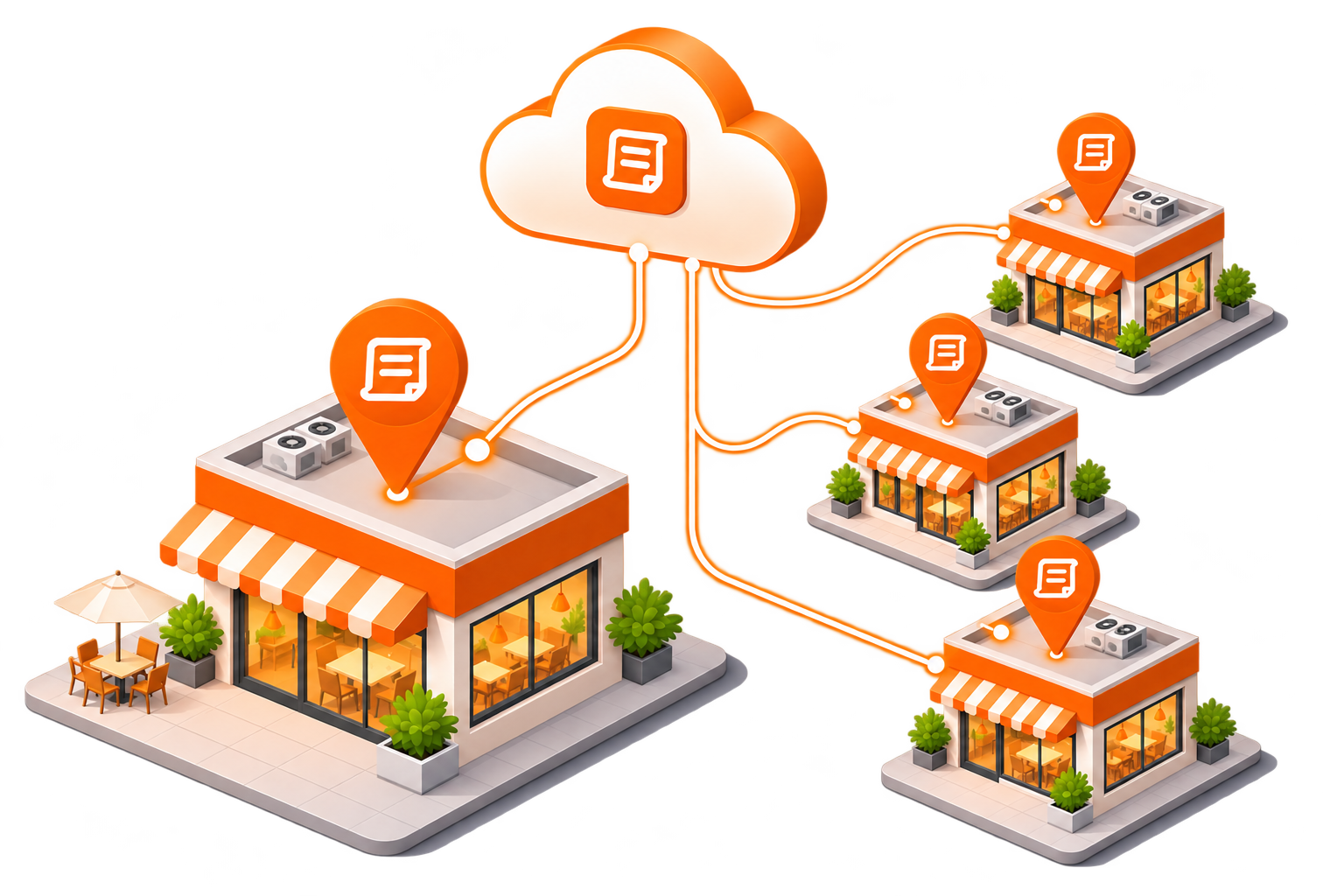
Every branch, one place.
Each shop can sell its own menu, with its own staff, tables, shifts and stock. You manage them all from one dashboard and switch with one tap.
- Staff only see the branches they work at
- Run a deal at one branch or at all of them
- Stock counted per branch, by the can or by the box
Made for the way Cambodia does business.
Built in Phnom Penh for the cafés, noodle shops and restaurants around us, where a bill is priced in one currency, paid in another, and the change comes back in both.
- Multi-currencyRiel, dollars or another. Set your own rate.
- Mixed paymentsBoth moneys in one payment, counted apart at close.
- Khmer on the menuKhmer names beside English, on screen and on the receipt.
- Your printersReceipt, kitchen and label printers on your shop's network, or plugged in by USB.
One account, every branch.
Open a second shop without starting over. Each branch keeps its own tables, cash drawer, stock and printers; your menu, your team and your reports stay in one Bill&Go.
- One menu: each branch sells all of it, or only what you pick for it
- People work at the branches they are given; the owner works everywhere
- Each branch its own money, rate, call numbers and PayWay account
- An online order not taken in time moves to the quickest branch
- Every branch's sales side by side, or one branch at a time
- A plan covers every branch it includes: Growth is $35.99 a month for 3 branches
From order to kitchen to payment.
- Step 1
Customer orders
At the counter, at the table, or by phone.
Table 4 - Step 2
The POS records it
Every dish, every choice, and any deal, priced the same way every time.
No. 42 - Step 3
The kitchen gets the ticket
Printed in the kitchen or shown on the kitchen screen, oldest first.
Sent 12:41 - Step 4
Payment, then the shift
Paid in cash, card or QR Code, and counted in today's shift.
Paid 50 200 ៛
Apps for the POS, the owner and the printers.
The POS and the dashboard run in any web browser. These add to them.
Bill&Go POS
The POS as an app for tablets and phones, with the same menu, tables and shifts.
- New orders and cash payments keep going when the internet drops
- Sent to the kitchen and the shift once it is back

On iPad and iPhone now; coming to Google Play. Or open the POS in a browser
Bill&Go Console
Your shop on your phone, for owners and managers: sales, orders, the menu, staff and printers.
- Accept app orders and refund from anywhere
- A notification when an order or a printer needs you
Coming to the App Store and Google Play. Until then: sign in on the web
Bill&Go Printing Core
A small box, or a Raspberry Pi, that prints for the shop. No computer needed.
- Prints to printers on your shop's network or plugged in by USB
- Pairs when you scan the code it prints
Want one for your shop? Ask us
Open your POS in an afternoon.
- Set up your menuAdd dishes, photos, prices and options like sugar and ice on the dashboard, in English and Khmer.
- Connect your printersInstall Bill&Go Printing on a computer beside your printers and type the code from the dashboard. Or plug in a Printing Core box and scan the code it prints.
- Open the POSSign in at the counter on any tablet or computer, or on the Bill&Go POS app for iPad and iPhone (Android coming soon). Count your opening cash and start taking orders.
Bill&Go Printing
The small app that prints your tickets. Install it on a computer on the same network as your printers. It starts with the computer and updates itself.


Version 0.5.3
No Microsoft Store on that computer? Download the installer. Windows may warn you the first time you open it: click More info, then Run anyway. The Mac app is signed and checked by Apple.
Already set up? Open the POS or sign in to your dashboard.
Questions owners ask us.
Ask the Bill&Go team in Phnom Penh and we'll answer it.
Get in touchWhat is Bill&Go?
Bill&Go is a point of sale (POS) for restaurants and cafés in Cambodia. It takes orders at the counter, sends tickets to the kitchen, takes payment in more than one currency (riel, US dollars or another), and closes each shift with a count of the drawer.
Can customers pay in more than one currency?
Yes. Bill&Go is multi-currency: riel and US dollars, or another currency. You set your shop's rate, and a customer can hand over dollars and riel in the same payment. The POS works out the change: whole dollars first, the rest in riel, rounded to the nearest 100 riel in the customer's favor.
What equipment do I need?
A tablet or computer with a web browser for the POS, and your receipt, kitchen or label printers on the shop's network. Then one thing to print with: the free Bill&Go Printing app on a Windows or Mac computer on that network, or a Bill&Go Printing Core box, which also prints to printers plugged into it by USB. The Bill&Go POS app is on the App Store for iPad and iPhone, and coming to Google Play for Android.
Does Bill&Go work for more than one branch?
Yes. Each branch can have its own menu, staff and tables, and its own shifts and stock. The owner sees every branch from one dashboard.
How do I start using Bill&Go?
Create your shop on the web: it takes a minute and needs no card. Then add your first store and your menu, connect your printers and open the POS. The Bill&Go team in Phnom Penh is there if you want a hand.
Bring Bill&Go to your counter.
Tell us about your shop: how many branches, what you sell, and the printers you have. We'll help you set up and walk your team through the first shift.
Ready to start? Create your shop
Already with us? Sign in